Common uses
Websites and web applications
Deploy and host a website with Cloud Run
Build your web app using your favorite stack, access your SQL database, and render dynamic HTML pages. Cloud Run also gives you the ability to scale to zero when there are no requests coming to your website.
In this codelab, you’ll begin with a Docker image created via Cloud Build, which you trigger in Cloud Shell. Then, you’ll deploy that image to Cloud Run with a command in Cloud Shell.
Start codelab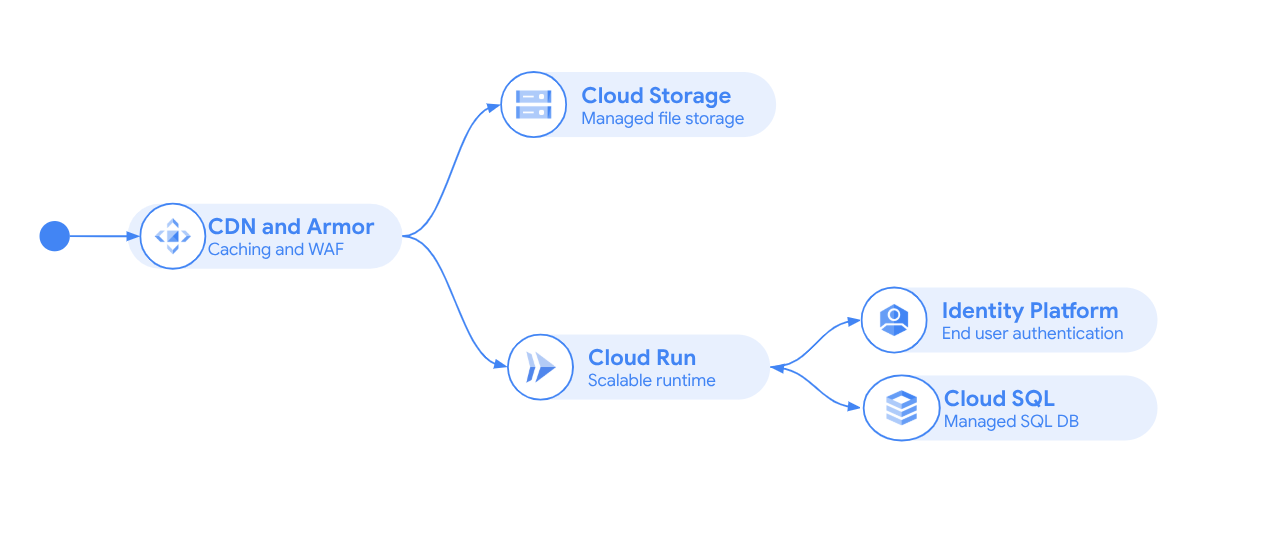
gcloud run deploy my-website \
  --source . \
  --region us-central1 \
  --allow-unauthenticated
FROM node:22-slim
WORKDIR /app
COPY . .
RUN npm ci --omit=dev
CMD ["node", "server.js"]- Build and deploy a Python service to Cloud Run
- Build and deploy a Node.js service to Cloud Run
- View full list of supported languages for web services
AI inference workloads
Host LLMs with Cloud Run GPUs
Perform real-time AI inferencing using LLMs of your choice on Cloud Run, including Llama 3.1, Mistral, and Gemma 2. Also ideal for compute-intensive applications, such as image recognition, video transcoding, and streaming.
Configure GPUs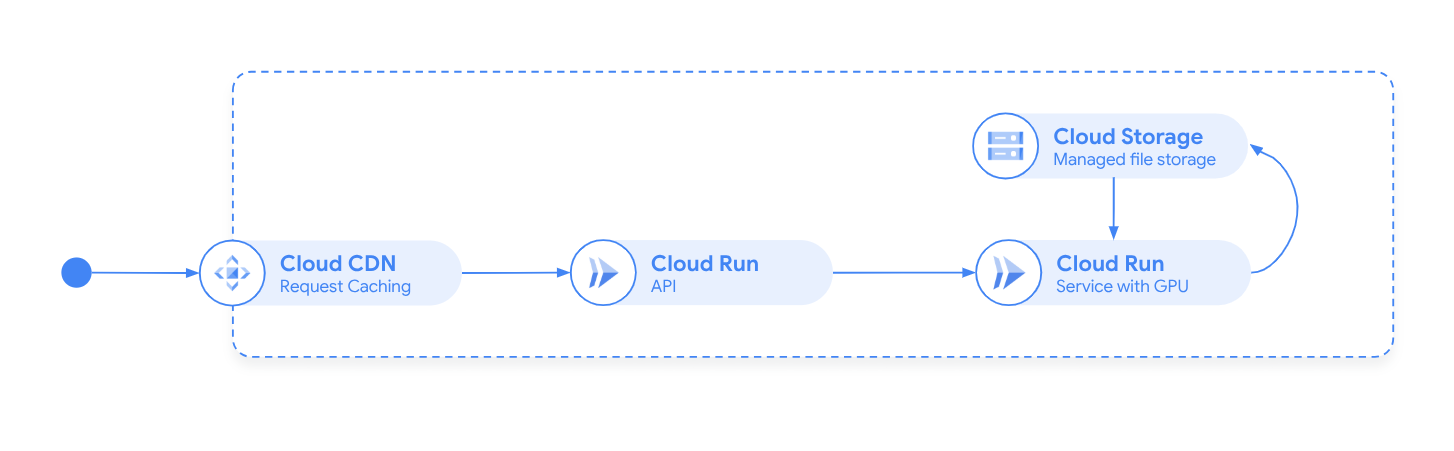
- Best practices: AI inference on Cloud Run with GPUs
- Learn more about GPUs on Google Cloud
- Sign up for Cloud Run with GPUs
Host AI agents
Build AI agents with Cloud Run
AI agents leverage advanced AI models and tools to act on behalf of users, under their control. These agents can be implemented as Cloud Run services to manage asynchronous tasks and facilitate user interaction through multiple request-response cycles.
Build AI agents with Cloud Run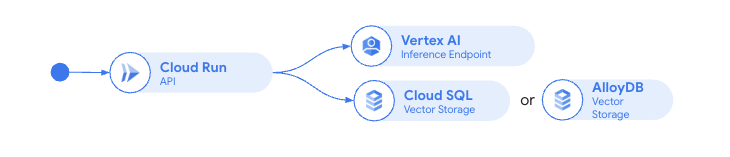
- Learn how to build AI agents on Cloud Run
- Codelab: Learn how to build and deploy a LangChain app on Cloud Run
- Enable MCP-compatible AI agents to deploy apps to Cloud Run
APIs and microservices
Serve APIs with Cloud Run
You can build a REST API, GraphQL API, or private microservices that communicate over HTTP or gRPC.
Deploy to Cloud Run from a Git repository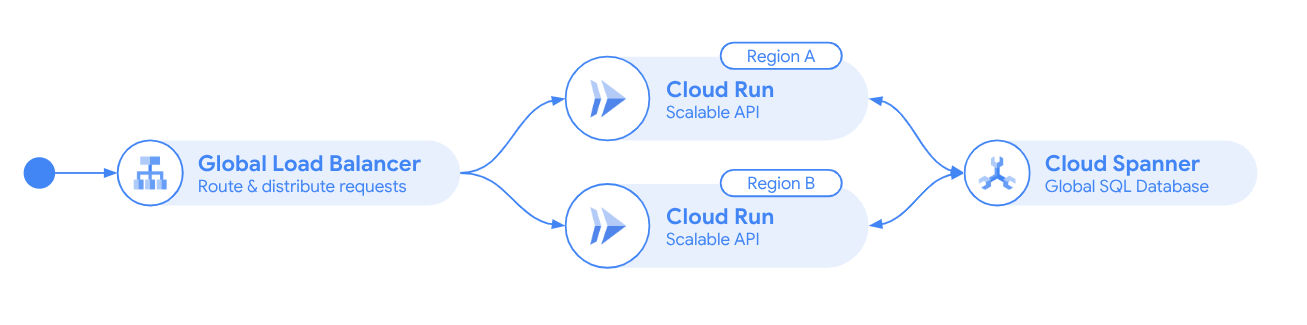
- Serve traffic from multiple regions
- Using WebSockets
- Using gRPC